
To submit your scratch project:
1st, go to the top left of your screen and click on file
2nd, click on the "Save to your computer button"
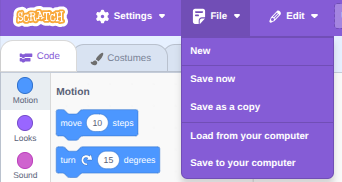
3rd, once you have done that, go to the submission page and where it says select file, select the file you just downloaded.
If you cant find your file, press on "My Files" then press on "Downloads," then you should see your fileTitle.sb3, so select that.
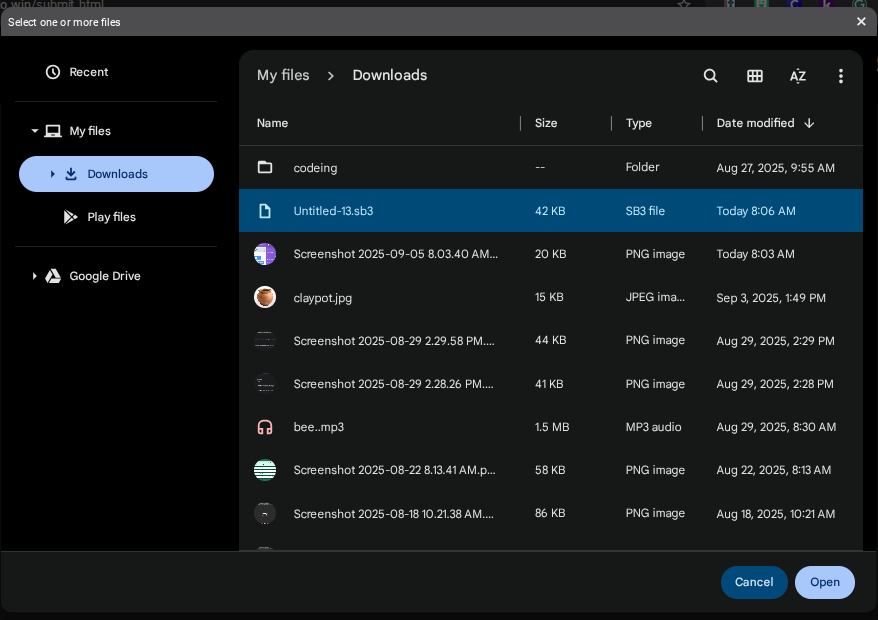
Now you can continue on with your submission!